
WordPress Plugin
WordWave Audio For WordPress
Played Everywhere
Easily transform WordPress content into professional audio and podcasts
Create captivating audio experiences
Auto-Generate Audio
WordWave automatically generates audio and displays a built-in player everywhere you choose — posts, pages, products, or custom post types.
Audio can be created automatically when content is published or generated manually at your discretion. The player only appears when audio exists, keeping your site clean and fast.
Exclude specific posts using tags or settings when needed.

WordWave Desktop Player

No limits with Premium
✓ Unlimited characters/words/posts
✓ Narrates publish date, title, headlines, paragraphs, and bullet lists
✓ Ignores photos and captions
✓ Add an intro and outro
✓ Voice selections, styles, and language support
✓ Generates a podcast feed and archive page
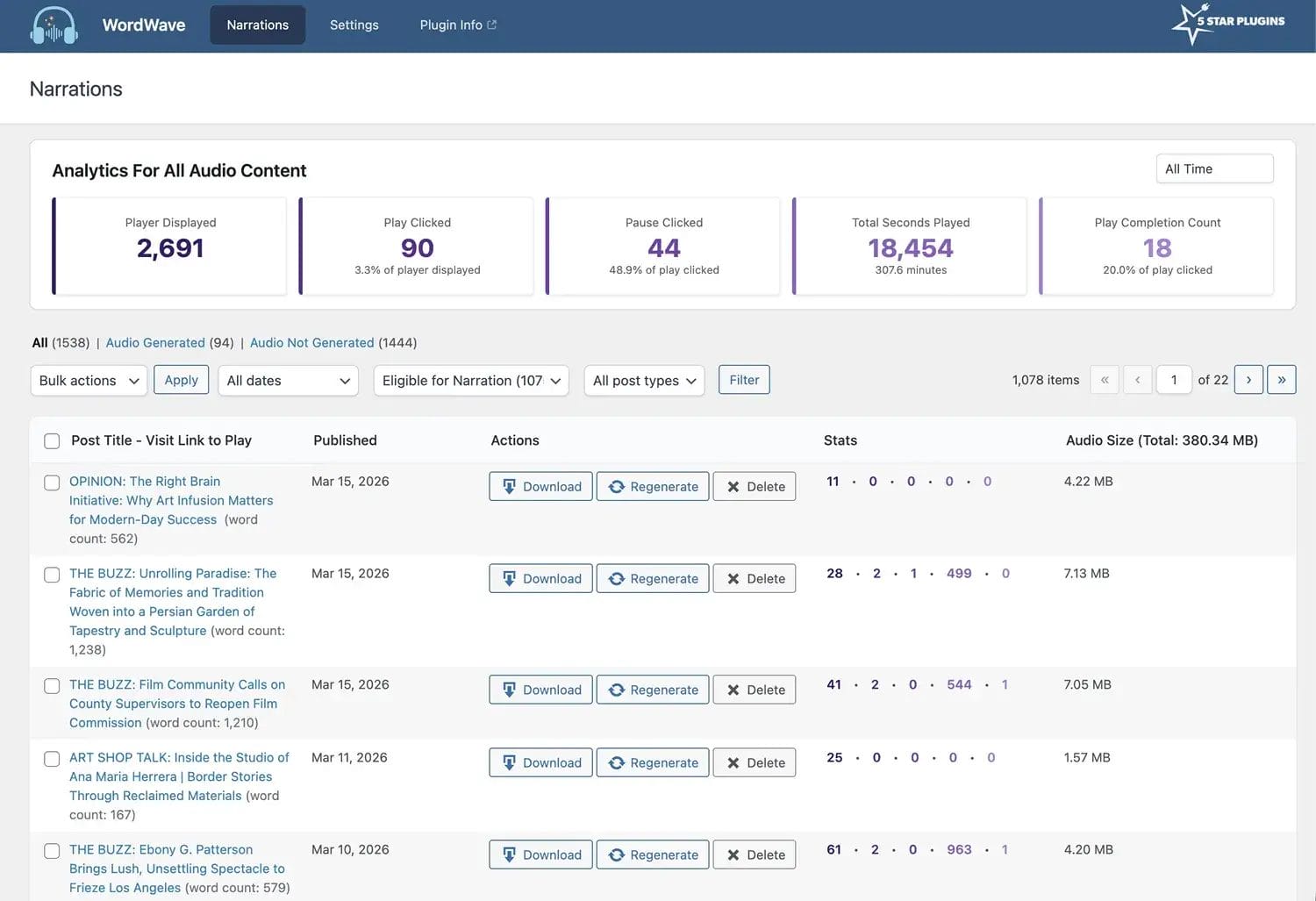
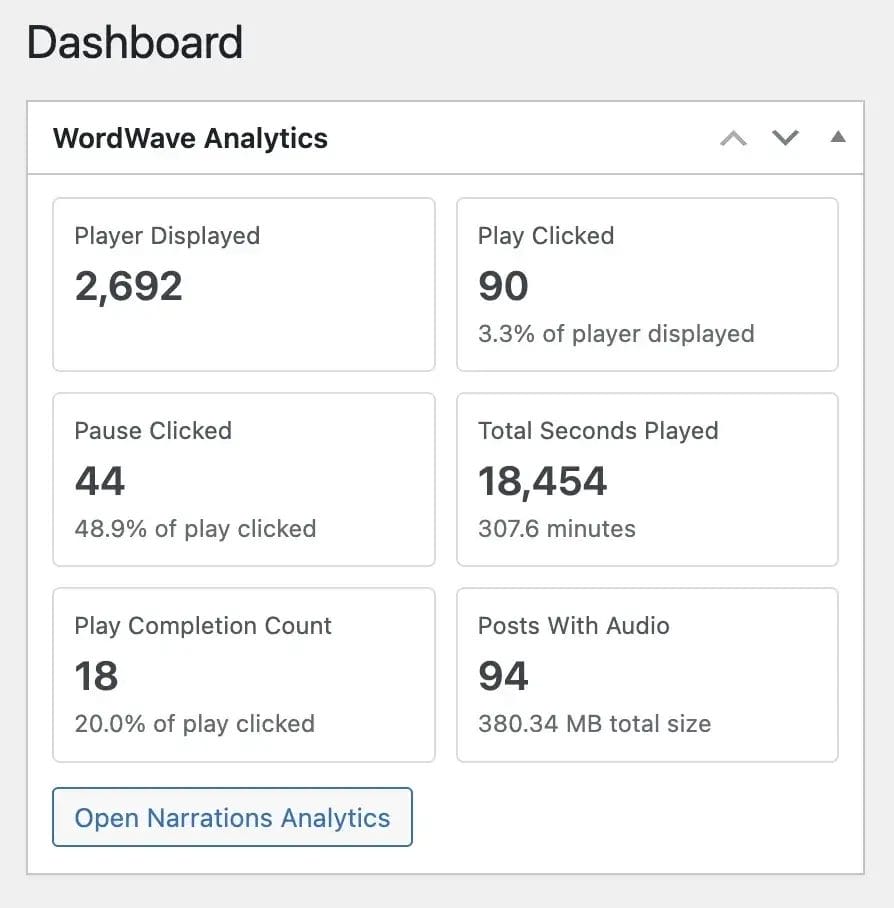
✓ Built-in analytics dashboard and player GA tag

AI Text-to-Speech Plugin



Why WordWave Stands Out
Feature | WordWave | TTS – Mementor | Trinity Audio | AI Text to Speech | Speechable |
WordPress-native plugin | 
|
|
| 
|
|
Converts blog posts to audio |
|
|
|
|
|
Built-in audio player |
|
|
|
|
|
Automatic audio for new posts |
| 
|
|
|
|
Blog → Podcast automation |
Premium |
|
|
|
|
Podcast feed generation |
Premium |
|
|
|
|
WooCommerce / custom post narration |
Premium |
|
|
|
|
Multiple voice & language support |
Premium |
Paid AI credits |
Paid AI credits |
Limited |
Limited |
Setup time | 
| 
|
| 
|
|
AI Model | OpenAI API or ElevenLabs API | ElevenLabs API | Trinity Aidio hosted voice platform | OpenAI API gpt-4o-mini-tts | Piper (Browser-based TTS) |
AI Costs* | No markup; pay AI TTS pricing¹ | Plugin credit system; Resells credits | Plugin credit system; Resells credits | No markup; pay OpenAI pricing | N/A |
Plugin costs* | Free plugin + AI TTS cost⁴, Paid plans starting $7.99/mo | Free plugin, Paid plans with AI credit upgrades starting $9–$15/mo² | Free tier up to 5 articles/mo, Paid plans starting $15/mo³ | Free plugin + OpenAI API cost⁴ | Free plugin |
*Footnotes (data updated 02/23/26)
View current OpenAI gpt-4o-mini-tts pricing
View current ElevenLabs API pricing
WordWave does not resell or markup AI credits — instead:
✅ It integrates directly with OpenAI gpt-4o-mini-tts (standard pricing) or ElevenLabs ElevenAPI
✅ Users supply their own API key and pay OpenAI or ElevenLabs at cost
✅ There’s no third-party credit pool markup or additional credit pricing layer
✅ This keeps pricing transparent and aligned with actual API costs
In contrast with many competitors, who bundle their own credit systems or require premium service subscriptions that mark up usage costs.
⭑ 1.5 cents per minute x 5 minute audio generated from a blog = 7.5 cents ($0.075USD) ⭑
View current OpenAI gpt-4o-mini-tts pricing
ElevenLabs API (March 5, 2026): 10,000 characters free with plans starting at 6 cents per 1,000 characters.
View current ElevenLabs API pricing

Premium
Starting at $7.99/mo
Pro Features & Support
(save up to $191 with annual discounts)
- OpenAI or ElevenLabs API
- Unlimited Word Count
- Narrate Blogs
- Narrate Custom Post Types and Pages
- Narrate WooCommerce
- Exclude Certain Content
- Voice Selections w/Language Support
- Auto-Generate or Manually Generate Audio
- Built-in Audio Player
- Position Player
- Ignore Photos/Captions
- Add Intro and Outro
- Downloadable MP3 Files
- Podcast Feed and Archive Page
- Stats Dashboard
- Plugin Updates
- Tech Support

Standard
Limited Free Features
Standard Features
(unlimited blogs)
 OpenAI or ElevenLabs API
- 5,000 Word Limit Per Narration
- Narrate Blogs
- Narrate Custom Post Types and Pages
- Narrate WooCommerce
- Exclude Certain Content
- Default Voice w/Language Support
- Auto-Generate or Manually Generate Audio
- Built-in Audio Player
- Position Player
- Ignore Photos/Captions
- Add Intro
- Downloadable MP3 Files
- Podcast Feed and Archive Page
- Stats Dashboard
- Plugin Updates
- Tech Support


14-Day Trial & Free Plugin
Start a trial to get the free plugin, no credit card required. If you decide not to upgrade, it switches to the free plugin at the end of the trial period.
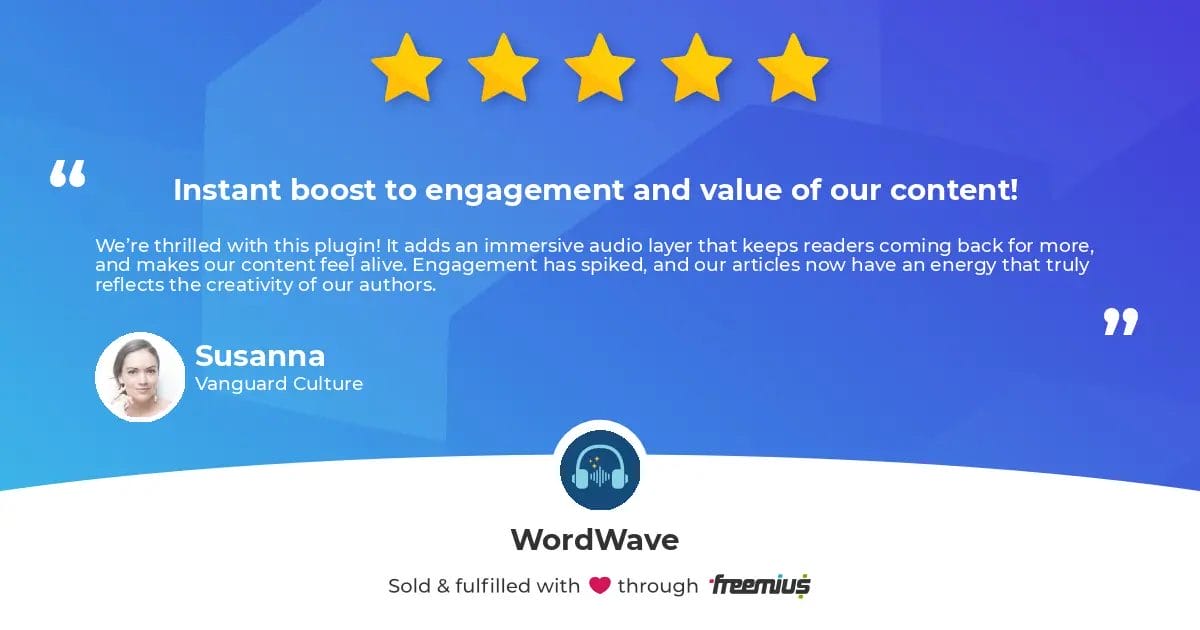
Customer Reviews
FAQ
Learn more before you get started.
Step 1: Click “start free trial” or “download free”, then “start trial” to check out for $0.
Step 2: If you’re new to 5 Star Plugins (powered by Freemius), look for a verification email and verify your email address.
Step 3: Then, check your email for the download link, license key, and installation instructions.
Step 4: Install and activate the Premium plugin.
It’s hassle-free:
The Standard plan is our free plugin with limited features. Download it by starting a free trial. It switches to the free version if you decide not to upgrade. No credit card is required, and there's nothing to cancel.
Need help now? Submit a Premium plugin Support Request .
In addition, your 5 Star Plugins account (powered by Freemius) is where to access downloads and manage plans or billing. Look for an email with your account login after purchase. Didn’t get the email? Be sure you’ve confirmed your email address. Try checking your spam and updates folder, or search for emails from @5starplugins.com.
Taka A Tour
Experience WordWave narration in action.
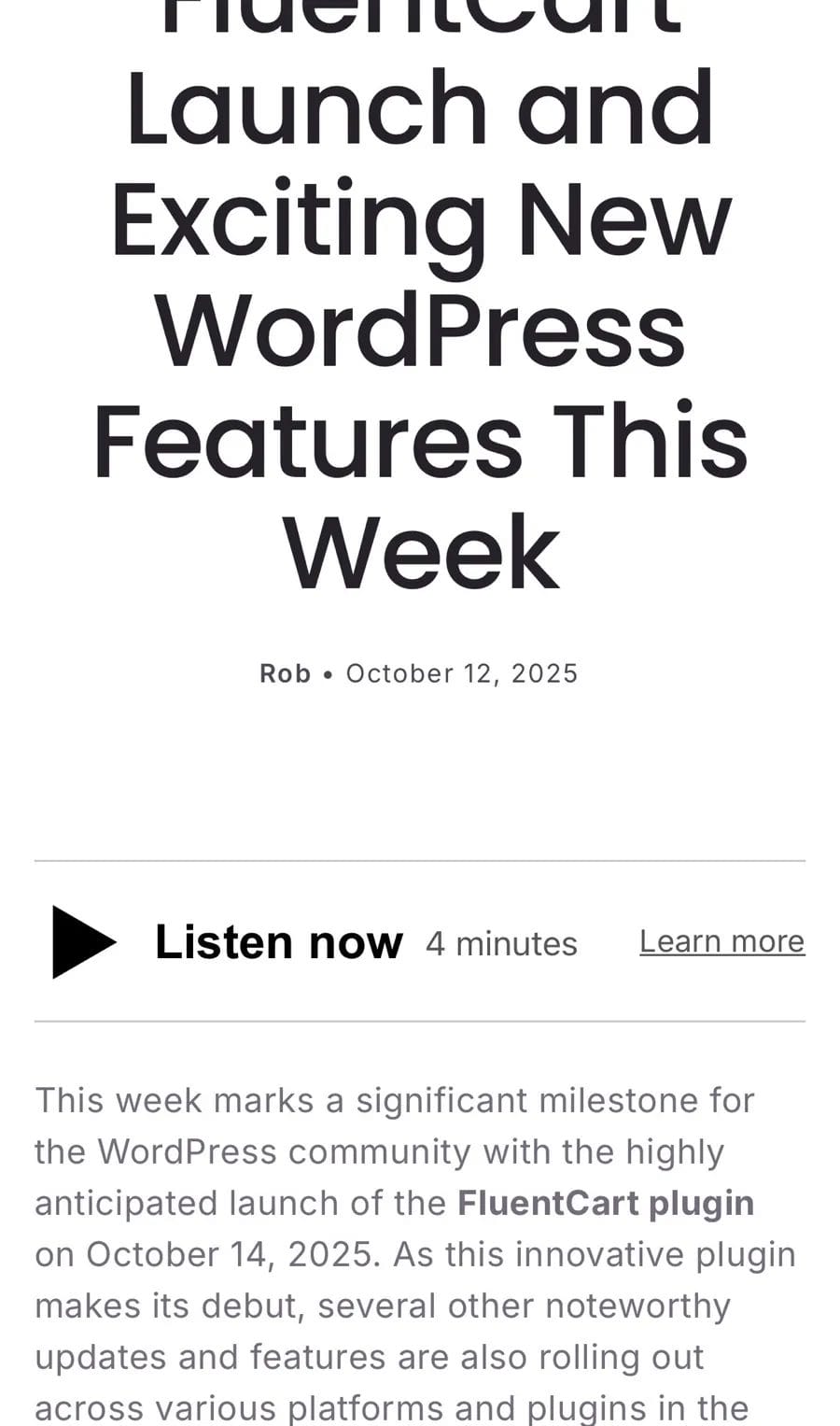
Top questions about AI narration:
AI credits are used when audio is generated, NOT each time it is played. WordWave generates audio and stores the MP3 in your WordPress site for playback; it is not generated each time a visitor listens.
Please visit OpenAI (gpt-4o-mini-tts) and ElevenLabs (ElevenAPI) for current plans and pricing. It is a nominal cost, just cents per minute of audio generated.
OpenAI TTS Audio Cost Estimate⁴ (February 23, 2026):
1.5 cents per minute x 5 minute audio generated from a blog = 7.5 cents ($0.075USD)
ElevenLabs API (March 5, 2026): 10,000 characters free with plans starting at 6 cents per 1,000 characters.
WordWave does not resell or markup AI credits; in contrast, many competitors bundle their own credit systems or require premium service subscriptions that mark up usage costs.
Actual API costs depend on characters processed and voice model used; users pay the AI service directly.
Audio is generated using a text-to-speech API and saved as an MP3 file for fast playback and compatibility.
- Blogs – Add audio narration to WordPress posts
- Video Voiceovers – Generate AI voice tracks for video content
- eLearning Content – Add spoken explanations to lessons and tutorials
- Product Demos – Create audio walkthroughs and explanations
- Podcast-Style Content – Turn blog posts into podcast episodes with downloadable MP3 files and audio feeds
- After installing and activating the plugin, navigate to "WordWave" in your WordPress admin menu.
- From the plugin "Settings" tab, add your AI API Key and select your preferences.
- Generate audio for the first time from the plugin "Narrations" tab. You can bulk generate audio for existing posts or create each individually with one click.
- Test it out by visiting a post. You will find the WordWave audio player displayed everywhere there is audio.
The plugin settings page will display the language set in your WordPress admin settings. Languages supported for backend users of the Standard or Premium plugin are:
Spanish, French, German, Italian, Portuguese, Dutch, Russian, Chinese (Simplified), Japanese, Korean, Arabic, Turkish, Hindi, Polish, Swedish, Danish, Finnish, Greek, Czech, Hungarian, Thai, Hebrew
