
WordPress Plugin
Cloud Maestro
WAF Rules Security Suite For Cloudflare

Managing multiple domains in Cloudflare?

Save Time

Multi-Account Support

Deploy in One Click
Supercharge your website security in minutes!
Set-up in minutes, no technical exertise required.
Our WAF Security Suite for Cloudflare lets you deploy enterprise-grade Web Application Firewall rules across all your domains instantly—no technical expertise required. You only need to install it once for it to work across all the sites in your account.


Why Use Cloud Maestro?
Managing security shouldn’t require clicking through multiple Cloudflare dashboards.
Cloud Maestro lets you:
- Configure WAF rules and IP rules once
- Apply them consistently across every domain
- Avoid mistakes caused by manual repetition
- Save time on every deployment
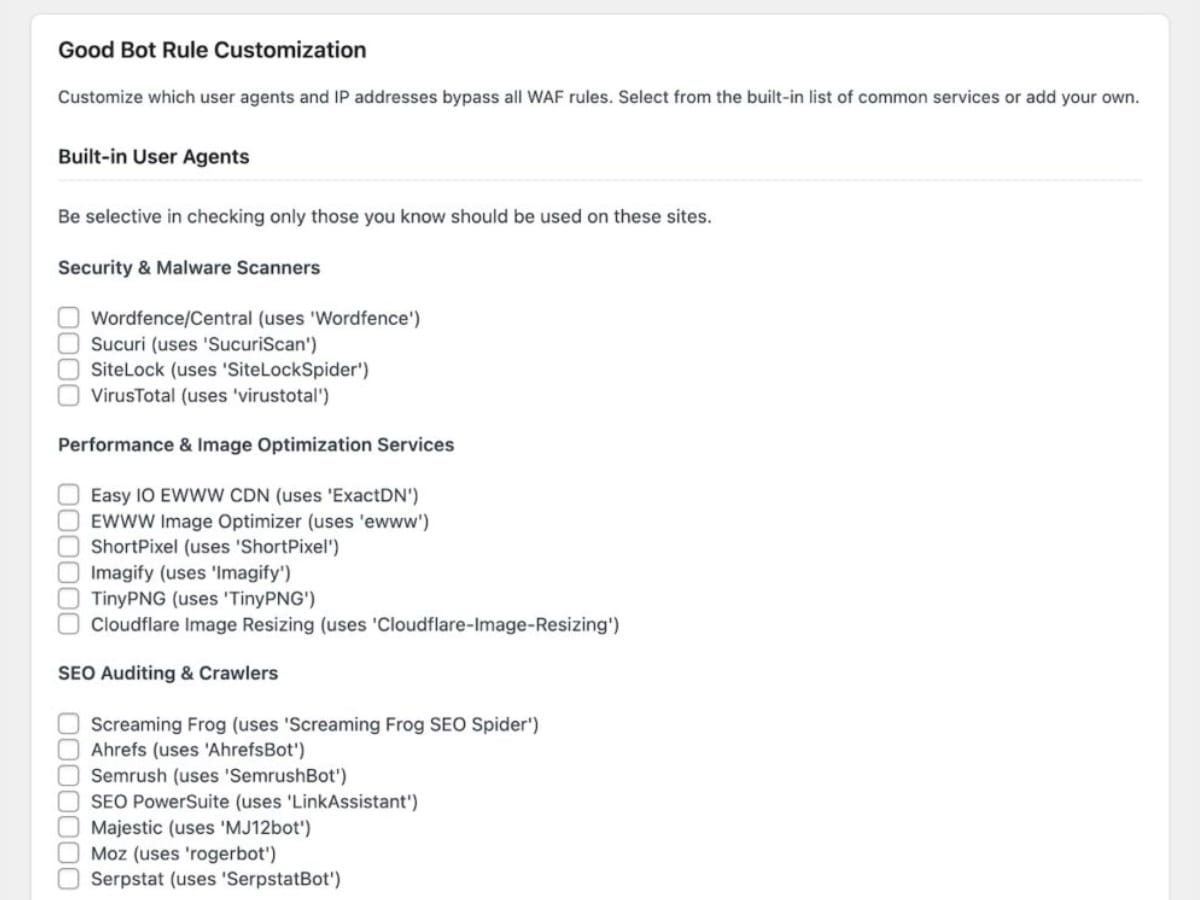
- Control trusted traffic with custom user agents
- Easily whitelist 50+ trusted services across 8 categories
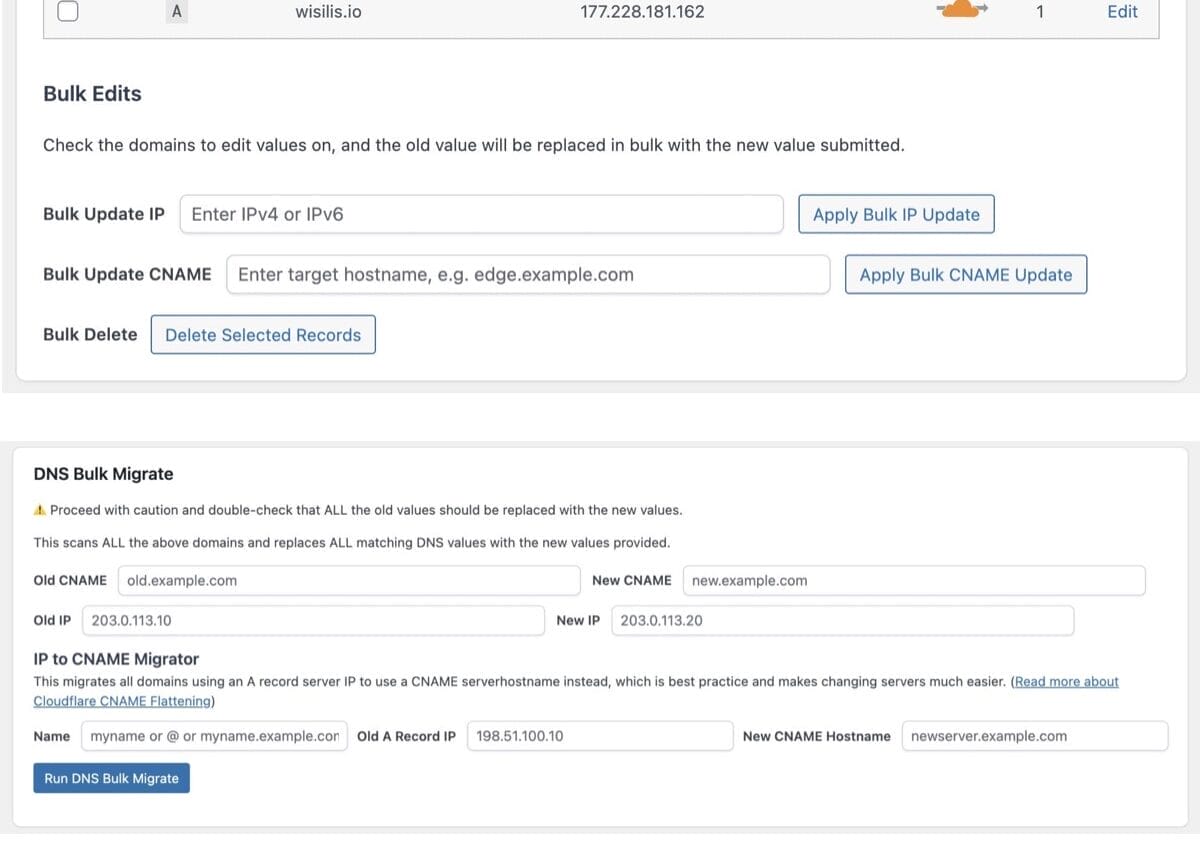
- Bulk manage DNS changes
All from a clean WordPress interface.

The Top Cloudflare Plugin





Premium
Starting at $5/mo
Pro Features & Support
(Best For Agencies & Client Managed Sites)
- One-click WAF Rules Deployment
- API Credentials Bank-Level Encryption
- Plugin Updates
- Unlimited Cloudflare Accounts
- Unlimited Domains
- Bulk DNS Manager
- Easy Bot Whitelisting
- Custom User Agents
- Custom IP Whitelisting
- IP Rules management
- Tech Support

Standard
Limited Free Features
Basic Standard Features
(Best For Individuals & Small Site Owners)
 One-click WAF Rules Deployment
 - API Credentials Bank-Level Encryption
- Plugin Updates
- Limit 1 Cloudflare Account
- Limit 25 Domains
- Bulk DNS Manager
- Easy Bot Whitelisting
- Custom User Agents
- Custom IP Whitelisting
- IP Rules management
- Tech Support


14-Day Trial & Free Plugin
Start a trial to get the free plugin, no credit card required. If you decide not to upgrade, it switches to the free plugin at the end of the trial period.
Customer Reviews


FAQ
Learn more before you get started.
- Bots and aggressive crawlers
- Malicious IP addresses
- Common web-based threats
For details on the actual rules being deployed by default, visit our 3 Optimized WAF Rules Specifications.
Step 1: Click “start free trial” or “download free”, then “start trial” to check out for $0.
Step 2: If you’re new to 5 Star Plugins (powered by Freemius), look for a verification email and verify your email address.
Step 3: Then, check your email for the download link, license key, and installation instructions.
Step 4: Install and activate the Premium plugin.
It’s hassle-free:
For agencies, consultants, and teams managing multiple Cloudflare accounts, Cloud Maestro Premium offers expanded capabilities. Get unlimited accounts and domains, plus advanced features such as custom user agents and IP whitelisting.
Get the best rate when you pay annually instead of monthly.
Need help now? Submit a Premium plugin Support Request .
In addition, your 5 Star Plugins account (powered by Freemius) is where to access downloads and manage plans or billing. Look for an email with your account login after purchase. Didn’t get the email? Be sure you’ve confirmed your email address. Try checking your spam and updates folder, or search for emails from @5starplugins.com.
Screenshots

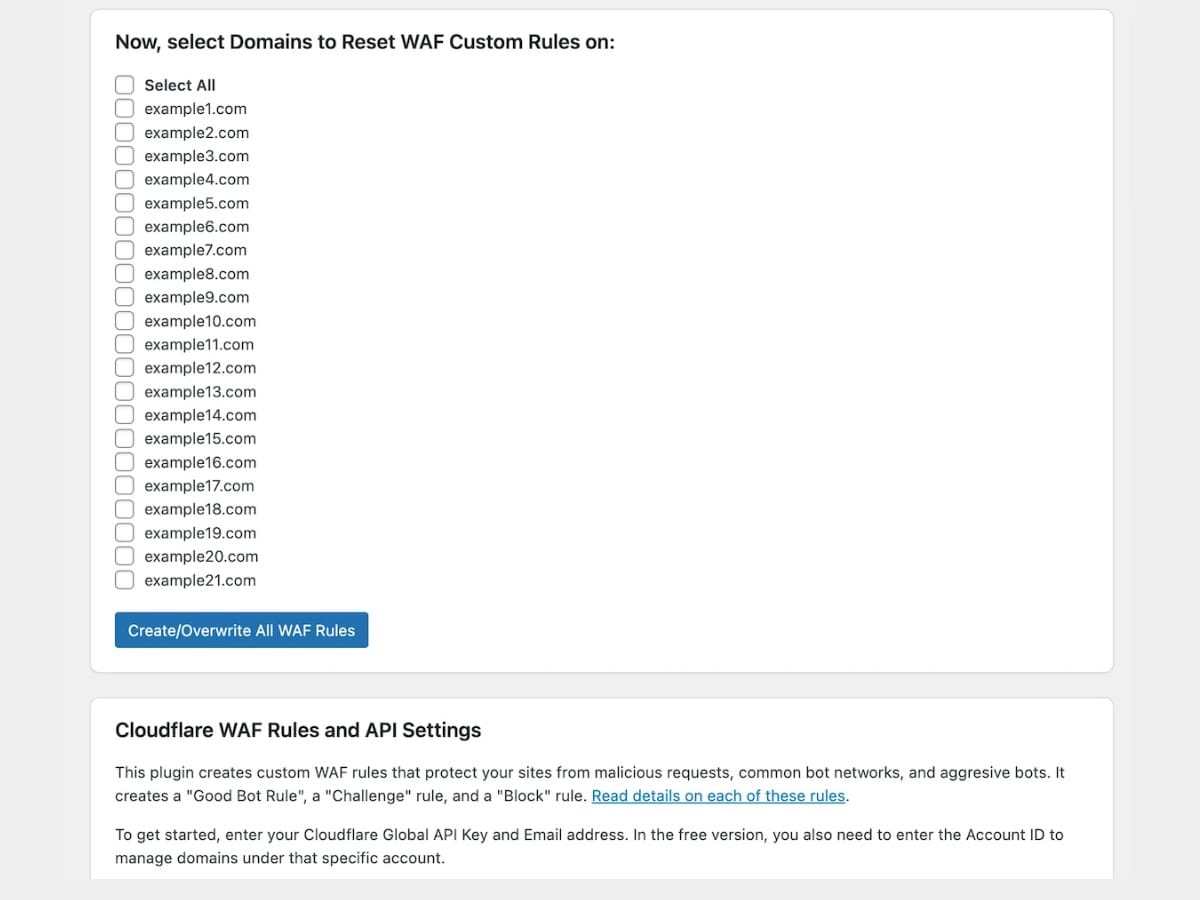
WAF Screenshot 1 – Domain selection
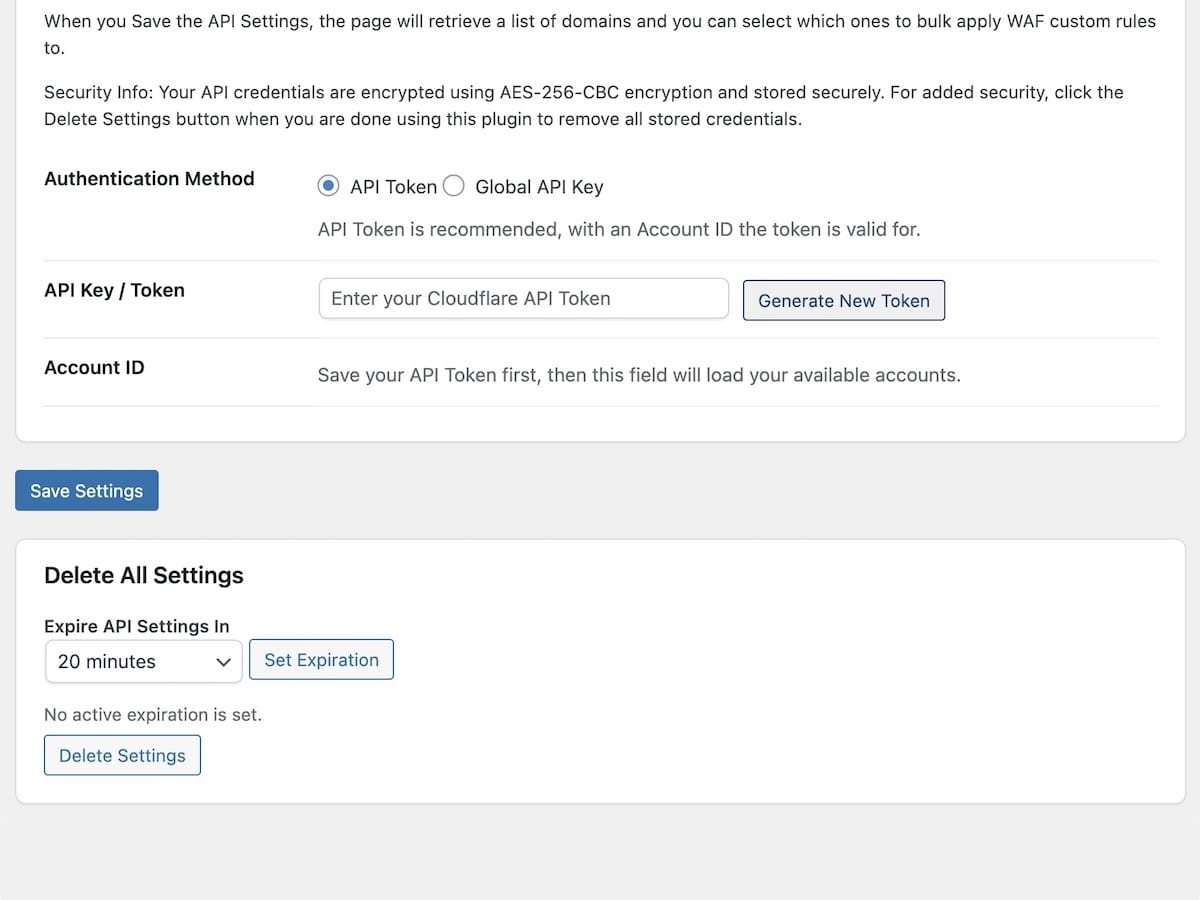
Plugin settings page with domain selectionWAF Screenshot 2 – API Token field
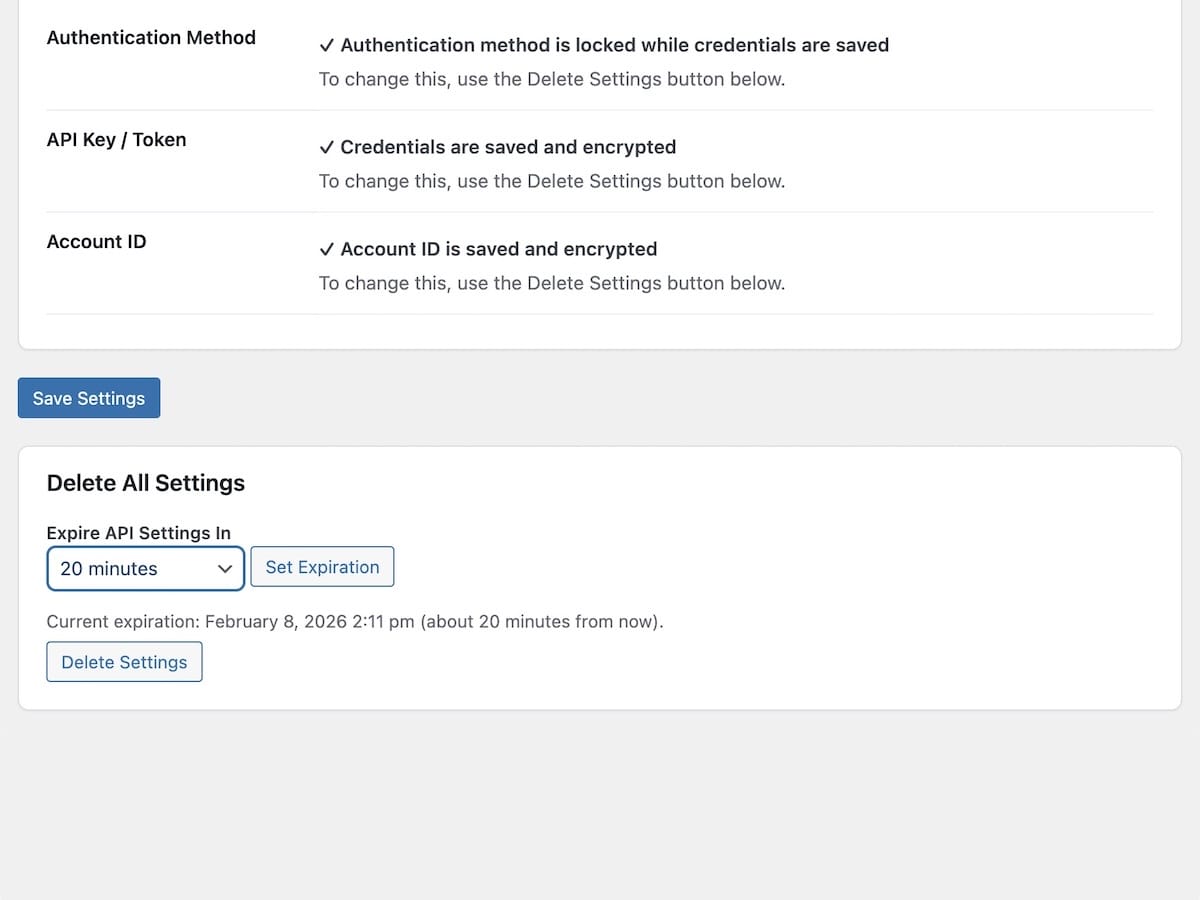
API Token field with easy GENERATE TOKEN buttonWAF Screenshot 3 – API settings
API settings: stored encrypted, with built-in expiration timerWAF Screenshot 4 – User agent
Good bot skip rule: Easy user agent customizationWAF Screenshot 5 – Successful bulk-deployment
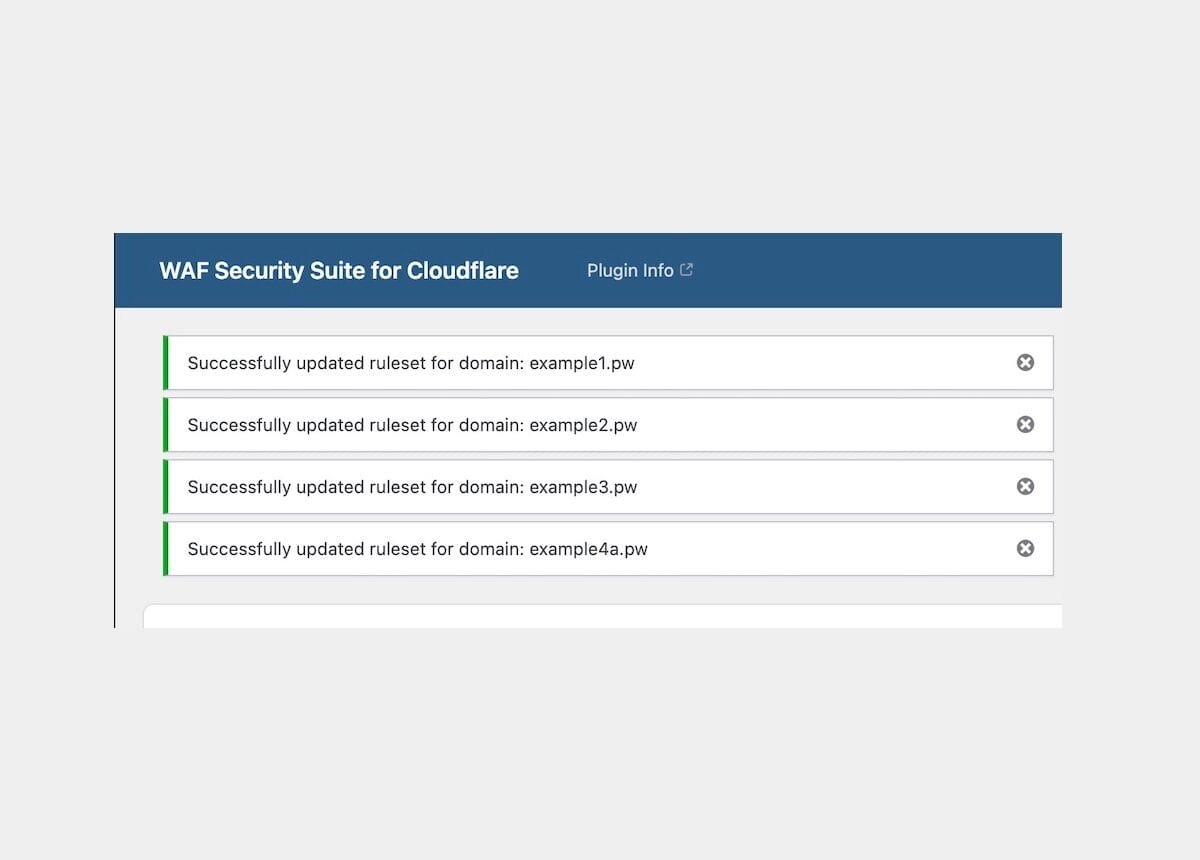
Successful WAF rules bulk-deploymentWAF Screenshot 6 – Applied WAF rules
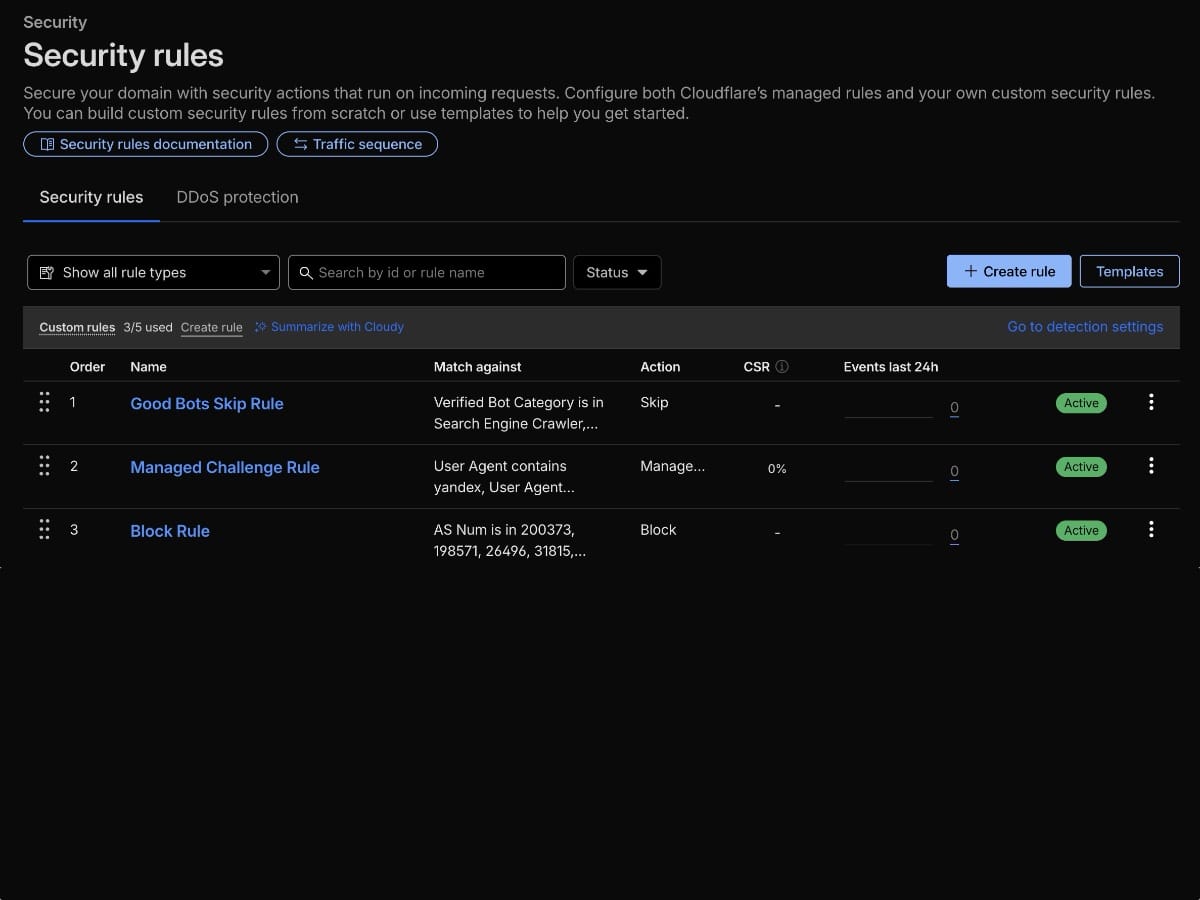
Cloudflare dashboard showing applied WAF rulesWAF Screenshot DNS
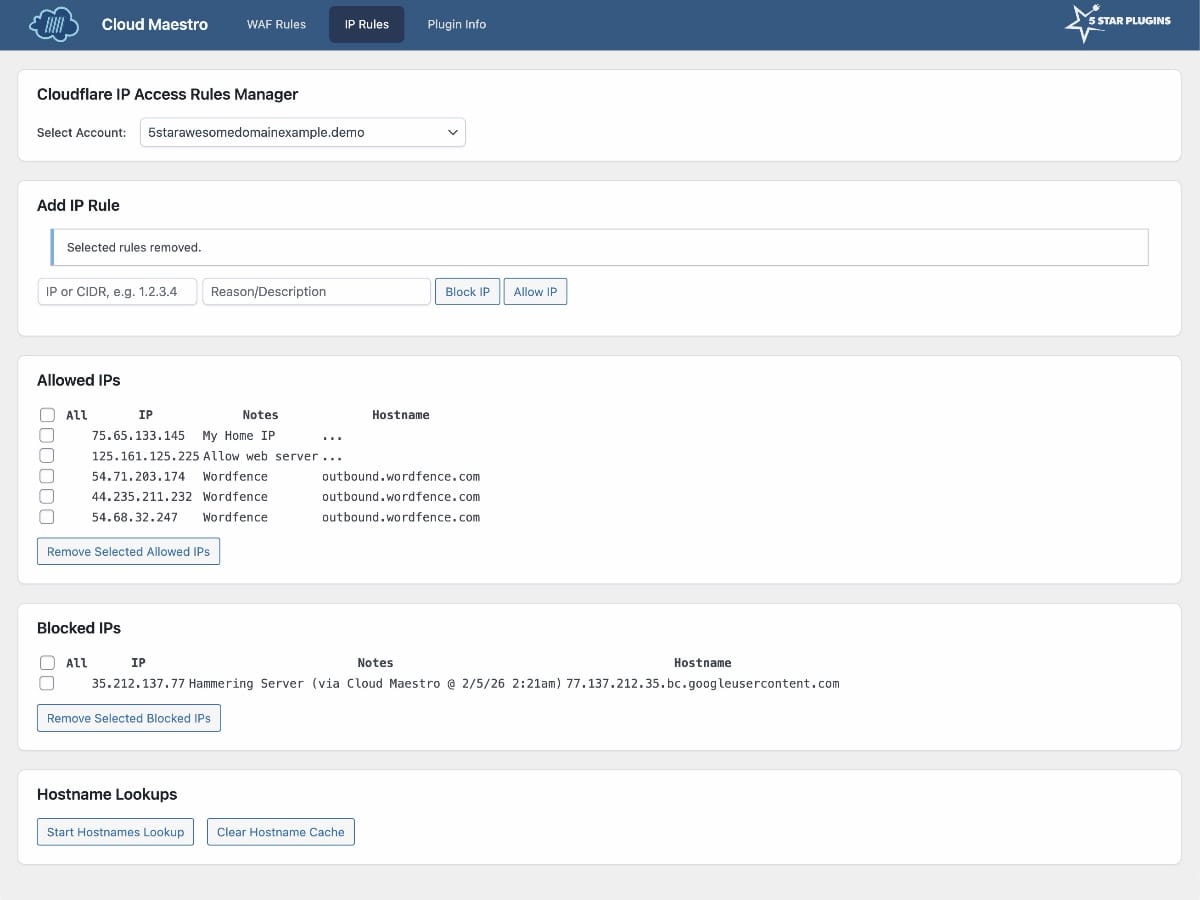
Cloudflare Bulk DNS ManagerWAF Screenshot 7 – IP rules
IP rules management screenWAF Screenshot 8
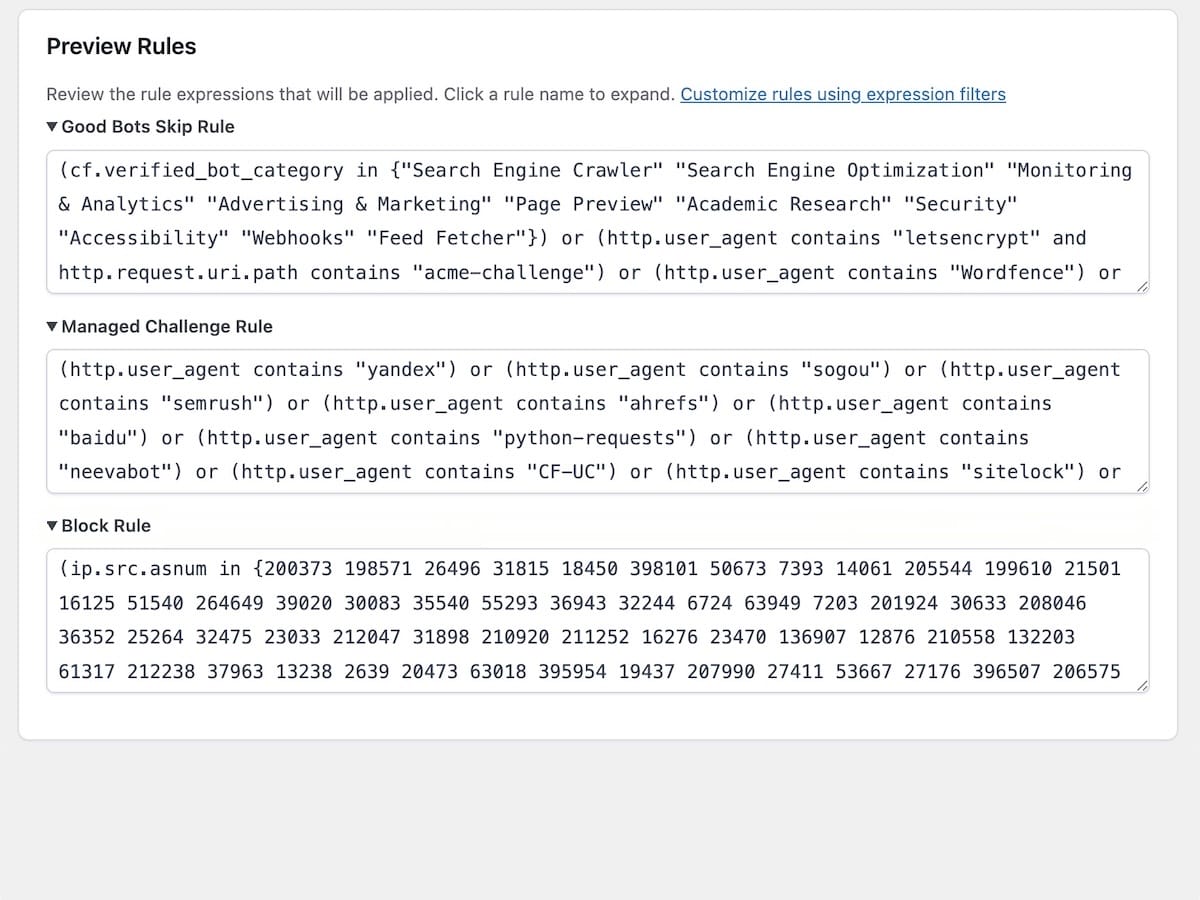
Preview Rules Section

Support
Fair Use Disclaimer: This plugin is independent and not affiliated, endorsed, or sponsored by Cloudflare®. Trademarks are used under fair use for compatibility and functionality only. No endorsement is implied. This plugin was inspired in part by Troy Glancy’s WAF Rules v3.